You described an app to an AI tool and it built one. The screens work, sign-up works, a friend paid you through it. That is a real achievement and a few years ago it would have taken a team a quarter.
It is also a demo. A demo proves the idea. Production is a different promise: that a stranger's data is safe with you, that the thing is still up on Sunday night, and that you can change it without breaking it. AI coding tools are good at the first and mostly silent about the second.
We take over apps like this for a living. What follows is the review we run, in the order the problems tend to hurt. You can run most of it yourself.
What "production-ready" means here
Four statements, all of which have to be true:
- A signed-in user can read and change their own data and nobody else's.
- Nothing secret is in the browser, in the repository or in a chat log.
- If the database vanished tonight, you could have it back tomorrow.
- When something breaks, you find out before your customers tell you.
Everything below is a way of checking one of those four.
1. Find the keys that are in the browser
Open your deployed app, open developer tools, and search the loaded JavaScript for key, secret, token and the names of the services you use.
Some keys are meant to be public: a Supabase anon key, a Firebase web config, a Stripe publishable key. They are safe only if the rules behind them are right, which is the next section. Others must never reach a browser: a Supabase service-role key, an OpenAI or Anthropic API key, a Stripe secret key, SMTP credentials. If one of those is in the bundle, treat it as stolen. Rotate it, then move the call that uses it to a server route.
Then search the git history, not only the current files. A key deleted in the latest commit is still in every earlier one.
2. Test the database as an attacker would
This is the gap we find most often, and the most expensive one. The generated app talks to the database straight from the browser. That design is fine when every table has row-level access rules. Without them, the public key in your bundle is a key to every row.
The test takes ten minutes:
- Create two accounts, A and B.
- Signed in as A, copy a request the app makes for A's data.
- Change the identifier in it to one of B's records and send it again.
If B's data comes back, so will everyone else's. Do the same for writes and deletes. Then check each table in the dashboard: row-level security switched on, and a policy for select, insert, update and delete that names the owner. A table with security on and no policies blocks everything; a table with security off allows everything. Neither is what you meant.
3. Move authorisation to the server
Generated interfaces hide what a user should not see: no admin link for non-admins, no delete button on someone else's post. Hiding is not checking. Every server route and every database function has to ask who is calling and whether they are allowed, on every call.
Look especially at anything with admin in the path, anything that takes a user id as a parameter, file upload and download routes, and webhooks. A payment webhook that does not verify the provider's signature lets anyone mark an order as paid.
4. Put limits on anything that costs money
Every endpoint that calls a paid API (a language model, SMS, email, maps) is a way for a stranger to spend your money. Add rate limits per user and per IP address, a hard monthly cap at the provider, and an alert at half of it. Do the same for sign-up and password reset, which are the routes bots find first.
5. Make the data survivable
| Phase | Start (week) | End (week) |
|---|---|---|
| Audit | 1 | 1 |
| Security fixes | 2 | 3 |
| Data & backups | 3 | 4 |
| CI, staging, monitoring | 4 | 5 |
| Compliance checks | 5 | 5 |
| Launch & handover | 6 | 6 |
Three things, none of which the AI tool set up for you:
- Migrations. The schema lives in files in the repository and changes through them. A schema edited by hand in a dashboard cannot be reproduced, reviewed or rolled back.
- Backups you have restored. Switch on automated backups, then restore one into a scratch project and open the app against it. A backup nobody has restored is a hope.
- Two environments. A staging copy with fake data, where every change lands first. Until this exists, each prompt you accept is a production deploy.
6. Know what personal data you hold
Write down every piece of personal data the app collects, why, where it is stored, which vendors receive it and how long you keep it. One page is enough. That page is the starting point for India's DPDP Act, for GDPR, and for every security questionnaire a business customer will send you.
Then build the three things the rules actually require of the software: a record of consent, a way to export a person's data, and a way to delete it. If you take card payments, keep card numbers out of your systems entirely and let the payment provider hold them. If you hold health data, stop and get advice before launch; the obligations are heavier and the tools' defaults are not built for them.
7. Make it observable
- Error tracking in the browser and on the server, with alerts to a channel someone reads.
- An uptime check on the home page and on sign-in.
- Logs you can search by user and by request, kept for at least a month.
- A page of notes on how to roll back a bad deploy, written before you need it.
8. Keep the AI from undoing the work
You will keep building with the tool that got you here, and you should. Protect the fixes from the next prompt:
- Tests on the paths that matter (sign-in, payment, the access rules from section 2), run in CI on every change.
- A rules file for your AI tool that states the non-negotiables: no secrets in client code, every new table gets row-level policies, every route checks the caller.
- A secret scanner and a dependency scanner in the same pipeline.
The short version
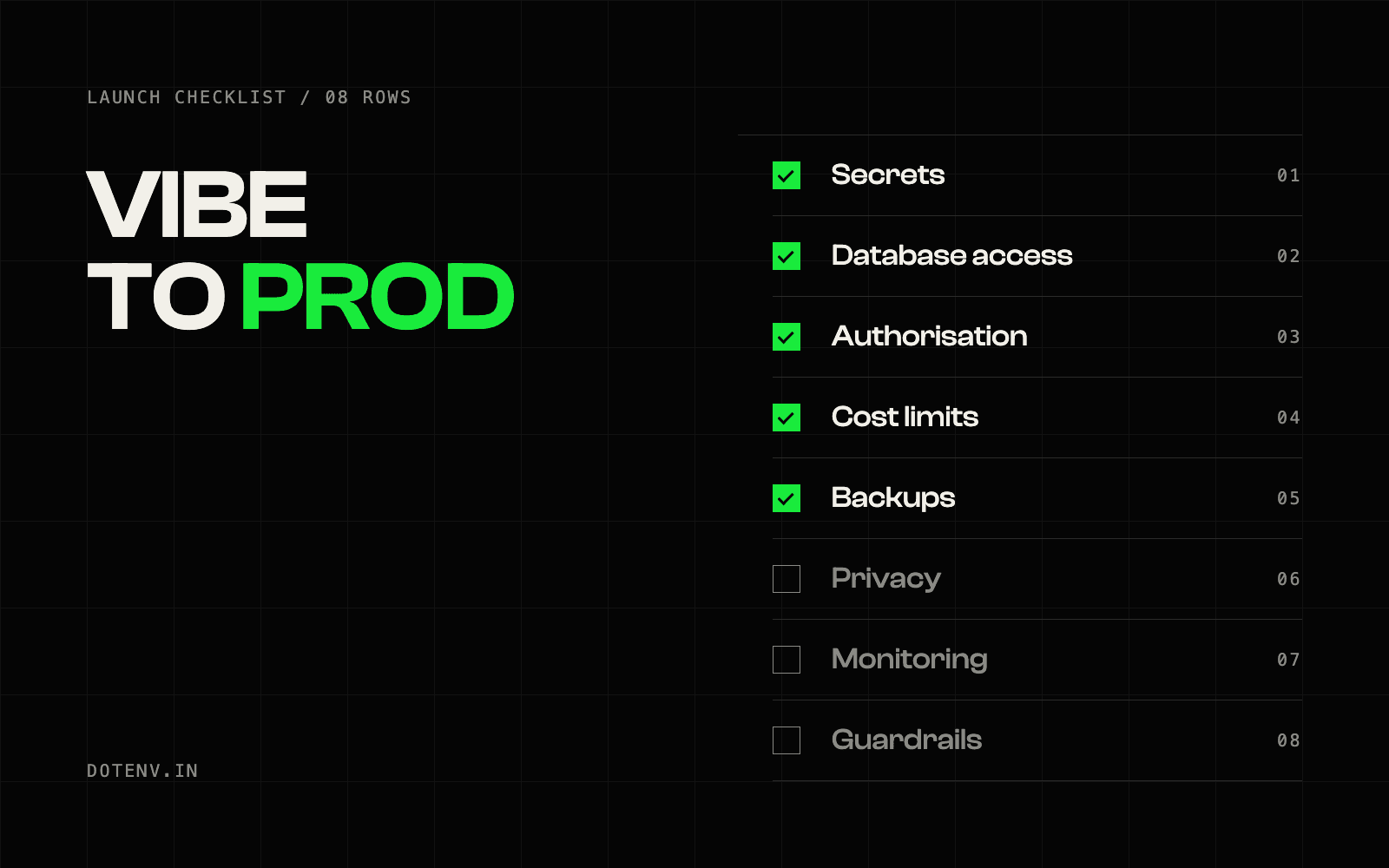
| Check | You are done when |
|---|---|
| Secrets | No private key in the bundle or the git history; exposed ones rotated |
| Database access | Account A cannot read or write account B's rows, tested by hand and in CI |
| Authorisation | Every route checks the caller on the server |
| Cost | Rate limits and provider spend caps are in place |
| Data | Migrations in the repository, a backup restored once, a staging environment |
| Privacy | A one-page data map; consent, export and delete all work |
| Operations | Errors, uptime and logs all alert a person |
| Guardrails | Tests, scanners and an AI rules file run on every change |
None of this needs a rewrite. In most of the apps we see, the product code is fine and it is the plumbing around it that is missing.
If you would rather hand the list to someone, this is exactly what our Vibe to Production engagement does: an audit first, fixes quoted from the findings, and your code and accounts left in your name. The compliance side follows the same baseline we describe in a compliance-ready engineering baseline.